I have been meaning to check out GWT (Google Web Toolkit) since JavaOne this year, when I overheard someone tell someone else how "absolutely freakin' wonderful" it was. But since most of the AJAX related work I did was concerned with returning data from the server for AJAX-ified front end components, the opportunity did not come up. Recently though, based on something I had to do at work, I decided to use GWT to try and build a test component with two dropdown lists for my personal book reviews application. The objective was to check out how easy/hard it would be to do, and to create a template for the stuff I had to do at work. This article describes the code for this widget and the things I had to do to get it working.
Very briefly, GWT allows you to build your Javascript widgets using Java and the GWT widget class library. It allows you to generate Javascript code from the Java code you write. Only the Javascript code will be shipped to your production server.
Problem definition
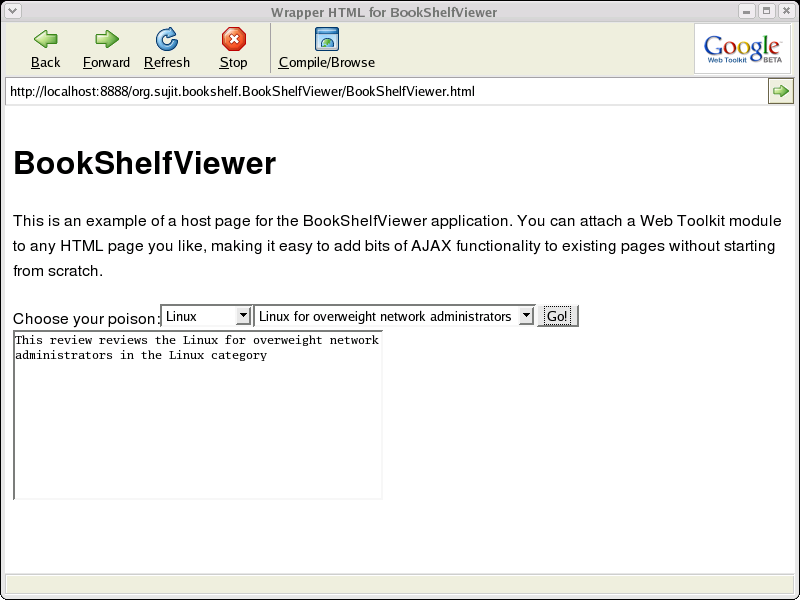
So here's the problem. I have a bunch of reviews on books on various subjects, so I would like to be able to categorize the books by type, then by title. There are 2 dropdowns. The first dropdown lists the various categories of books I have reviewed, such as "Linux", "Java", "Databases", etc. The second dropdown lists the book titles in the category selected in the first dropdown. Once I select a category from the first dropdown and a title from the second dropdown, and then hit the Go button, the review should show up in a TextArea below the dropdowns.
Download GWT
The first step was to download the GWT SDK from the GWT site. GWT class libraries (the widgets) are available under an Apache 2.0 license, but the toolkit itself is covered under a slightly different license. However, that should not bother most developers, since GWT is free for both commercial and non-commercial use, and Google's license does not assert any rights to the code you create with GWT, so its yours, free and clear. GWT is currently available for Windows and Linux. I downloaded the Linux version.
Create project
GWT comes with some scripts to build an Eclipse application. There is also scripts to build an Ant application, for those who do not use Eclipse, but I did not look at that. There are three scripts that need to be run, the first to create the Eclipse project, the second to create an empty GWT application skeleton, and the third to create a JUnit test case for the application.
 1
 2
 3
 4
 5
 6
 7
 8
 9
10
11
12
13
14
15
16
17
18
19
20
21
22
23
24 | [sujit@cyclone gwt-linux-1.0.21]$ ./projectCreator -eclipse bookshelf -out /home/sujit/src/bookshelf
Created directory /home/sujit/src/bookshelf/src
Created file /home/sujit/src/bookshelf/.project
Created file /home/sujit/src/bookshelf/.classpath
[sujit@cyclone gwt-linux-1.0.21]$ ./applicationCreator -eclipse bookshelf -out /home/sujit/src/bookshelf org.sujit.bookshelf.client.BookShelfViewer
Created directory /home/sujit/src/bookshelf/src/org/sujit/bookshelf
Created directory /home/sujit/src/bookshelf/src/org/sujit/bookshelf/client
Created directory /home/sujit/src/bookshelf/src/org/sujit/bookshelf/public
Created file /home/sujit/src/bookshelf/src/org/sujit/bookshelf/BookShelfViewer.gwt.xml
Created file /home/sujit/src/bookshelf/src/org/sujit/bookshelf/public/BookShelfViewer.html
Created file /home/sujit/src/bookshelf/src/org/sujit/bookshelf/client/BookShelfViewer.java
Created file /home/sujit/src/bookshelf/BookShelfViewer.launch
Created file /home/sujit/src/bookshelf/BookShelfViewer-shell
Created file /home/sujit/src/bookshelf/BookShelfViewer-compile
[sujit@cyclone gwt-linux-1.0.21]$ ./junitCreator -junit /usr/java/eclipse/plugins/org.junit_3.8.1/junit.jar -eclipse BookShelfViewer -out /home/sujit/src/bookshelf org.sujit.bookshelf.test.BookShelfViewerTest
Created directory /home/sujit/src/bookshelf/src/org/sujit/bookshelf/test
Created file /home/sujit/src/bookshelf/src/org/sujit/bookshelf/BookShelfViewerTest.gwt.xml
Created file /home/sujit/src/bookshelf/src/org/sujit/bookshelf/test/BookShelfViewerTest.java
Created file /home/sujit/src/bookshelf/BookShelfViewerTest-hosted.launch
Created file /home/sujit/src/bookshelf/BookShelfViewerTest-web.launch
Created file /home/sujit/src/bookshelf/BookShelfViewerTest-hosted
Created file /home/sujit/src/bookshelf/BookShelfViewerTest-web
|
Notice that this means that you have a project for each GWT component that you decide to build. For those who prefer developing within a monolithic environment, where there is a single web project, and we just keep adding new functionality into it, this may not be the best thing, but having your web project built off a number of tiny projects does lead to more maintainability, and the ability to release code with the confidence that you haven't broken something somewhere else.
XML Configuration
Configuration is quite simple. There is a ${projectname}.gwt.xml that provides the information about the entry point to our GWT module. The entry-point element provides the class name for our main widget, and the servlet-path provides information about the backend service.
Note that the configuration is all for development. In production, you will simply ship the generated Javascript code on the front end, and the servlet on the backend.
1
2
3
4
5
6
7 | <module>
<!-- Inherit the core Web Toolkit stuff. -->
<inherits name='com.google.gwt.user.User'/>
<!-- Specify the app entry point class. -->
<entry-point class='org.sujit.bookshelf.client.BookShelfViewer'/>
<servlet path="/bookshelf-service" class="org.sujit.bookshelf.server.BookShelfServiceServlet" />
</module>
|
The Widget Code
The Widget Code is built off the components available in the GWT Widget class library. The style should be familiar to anyone who has written Java Swing code. The onModuleLoad() method is called when the module loads, and is the place where the widget is defined. The onChange() method is called whenever the selected item changes in either ListBox object, and the onClick() method is called when the Go button is clicked. The constructory specifies the location of the backend service. The getXXX() and setXXX() methods provide accessors and mutators for the internal variables which store the contents of the ListBox and the TextArea objects. The loadXXX() methods are responsible for pulling data off the backend component (more on that below), and the refreshXXX() methods are responsible for taking the backend data and populating the ListBox and TextArea widgets.
 1
 2
 3
 4
 5
 6
 7
 8
 9
10
11
12
13
14
15
16
17
18
19
20
21
22
23
24
25
26
27
28
29
30
31
32
33
34
35
36
37
38
39
40
41
42
43
44
45
46
47
48
49
50
51
52
53
54
55
56
57
58
59
60
61
62
63
64
65
66
67
68
69
70
71
72
73
74
75
76
77
78
79
80
81
82
83
84
85
86
87
88
89
90
91
92
93
94
95
96
97
98
99
100
101
102
103
104
105
106
107
108
109
110
111
112
113
114
115
116
117
118
119
120
121
122
123
124
125
126
127
128
129
130
131
132
133
134
135
136
137
138
139
140
141
142
143
144
145
146
147
148
149
150
151
152
153
154
155
156
157
158
159
160
161
162
163
164
165
166
167
168
169
170
171
172
173
174
175
176
177
178
179
180
181
182
183
184
185
186
187
188
189
190
191
192
193
194
195
196
197
198
199
200
201
202
203
204
205
206
207
208
209
210
211
212
213
214
215
216
217
218
219
220
221
222
223
224
225
226
227
228
229
230
231
232
233
234
235
236
237
238 | package org.sujit.bookshelf.client;
import java.util.Iterator;
import java.util.List;
import com.google.gwt.core.client.EntryPoint;
import com.google.gwt.core.client.GWT;
import com.google.gwt.user.client.rpc.AsyncCallback;
import com.google.gwt.user.client.rpc.ServiceDefTarget;
import com.google.gwt.user.client.ui.Button;
import com.google.gwt.user.client.ui.ChangeListener;
import com.google.gwt.user.client.ui.ClickListener;
import com.google.gwt.user.client.ui.HorizontalPanel;
import com.google.gwt.user.client.ui.Label;
import com.google.gwt.user.client.ui.ListBox;
import com.google.gwt.user.client.ui.RootPanel;
import com.google.gwt.user.client.ui.TextArea;
import com.google.gwt.user.client.ui.VerticalPanel;
import com.google.gwt.user.client.ui.Widget;
public class BookShelfViewer implements EntryPoint, ChangeListener, ClickListener {
private static final String WAIT_MESSAGE = "Retrieving, please wait...";
// data to be shown in widget
private List categories;
private List titlesInCategory;
private String review;
// internal tracking indexes
private int selectedCategoryIndex;
private int selectedTitleIndex;
// we are listening on events raised by these widgets.
private ListBox categoryListBox;
private ListBox titleListBox;
private Button goButton;
private TextArea reviewTextArea;
// Async interface of a service
private BookShelfServiceAsync bookShelfService;
public BookShelfViewer() {
super();
bookShelfService = (BookShelfServiceAsync) GWT.create(BookShelfService.class);
ServiceDefTarget serviceEndPoint = (ServiceDefTarget) bookShelfService;
serviceEndPoint.setServiceEntryPoint("/bookshelf-service");
}
public List getCategories() {
return this.categories;
}
public void setCategories(List categories) {
this.categories = categories;
}
public String getReview() {
return this.review;
}
public void setReview(String review) {
this.review = review;
}
public int getSelectedCategoryIndex() {
return this.selectedCategoryIndex;
}
public void setSelectedCategoryIndex(int selectedCategoryIndex) {
this.selectedCategoryIndex = selectedCategoryIndex;
}
public int getSelectedTitleIndex() {
return this.selectedTitleIndex;
}
public void setSelectedTitleIndex(int selectedTitleIndex) {
this.selectedTitleIndex = selectedTitleIndex;
}
public List getTitlesInCategory() {
return this.titlesInCategory;
}
public void setTitlesInCategory(List titlesInCategory) {
this.titlesInCategory = titlesInCategory;
}
/**
* This is the entry point method.
*/
public void onModuleLoad() {
loadCategories();
loadTitlesInCategory("Databases");
Label label = new Label("Choose your poison:");
categoryListBox = new ListBox();
categoryListBox.setVisibleItemCount(1);
categoryListBox.setSelectedIndex(0);
refreshCategoryListBox(categories);
categoryListBox.addChangeListener(this);
setSelectedCategoryIndex(0);
titleListBox = new ListBox();
titleListBox.setVisibleItemCount(1);
titleListBox.setSelectedIndex(0);
refreshTitleListBox(titlesInCategory);
titleListBox.addChangeListener(this);
setSelectedTitleIndex(0);
goButton = new Button();
goButton.setText("Go!");
goButton.addClickListener(this);
reviewTextArea = new TextArea();
reviewTextArea.setCharacterWidth(50);
reviewTextArea.setVisibleLines(10);
loadReviews(getSelectedCategoryIndex(), getSelectedTitleIndex());
refreshReviewTextArea(review);
HorizontalPanel toolbarPanel = new HorizontalPanel();
toolbarPanel.add(label);
toolbarPanel.add(categoryListBox);
toolbarPanel.add(titleListBox);
toolbarPanel.add(goButton);
VerticalPanel componentPanel = new VerticalPanel();
componentPanel.add(toolbarPanel);
componentPanel.add(reviewTextArea);
RootPanel.get().add(componentPanel);
}
/**
* Event raised by selections in the category list box and title list boxes
* will trigger this method.
* @see com.google.gwt.user.client.ui.ChangeListener#onChange(com.google.gwt.user.client.ui.Widget)
* @param sender the widget that raised the event.
*/
public void onChange(Widget sender) {
if (sender == categoryListBox) {
// update the title list box
int selectedIndex = categoryListBox.getSelectedIndex();
setSelectedCategoryIndex(selectedIndex);
String categoryName = (String) categories.get(selectedIndex);
loadTitlesInCategory(categoryName);
refreshTitleListBox(titlesInCategory);
} else if (sender == titleListBox) {
int selectedIndex = titleListBox.getSelectedIndex();
setSelectedTitleIndex(selectedIndex);
}
}
/**
* Events raised by clicking the "Go" button will trigger this method.
* @see com.google.gwt.user.client.ui.ClickListener#onClick(com.google.gwt.user.client.ui.Widget)
* @param sender the widget that raised this event.
*/
public void onClick(Widget sender) {
if (sender == goButton) {
loadReviews(getSelectedCategoryIndex(), getSelectedTitleIndex());
refreshReviewTextArea(review);
}
}
private void loadCategories() {
bookShelfService.getCategories(new AsyncCallback() {
public void onFailure(Throwable caught) {
reviewTextArea.setText(caught.toString());
}
public void onSuccess(Object result) {
setCategories((List) result);
refreshCategoryListBox(getCategories());
}
});
}
private void refreshCategoryListBox(List categories) {
categoryListBox.clear();
if (categories != null) {
for (Iterator it = categories.iterator(); it.hasNext();) {
String category = (String) it.next();
categoryListBox.addItem(category);
}
} else {
categoryListBox.addItem(WAIT_MESSAGE);
}
}
private void loadTitlesInCategory(String categoryName) {
bookShelfService.getTitles(categoryName, new AsyncCallback() {
public void onFailure(Throwable caught) {
reviewTextArea.setText(caught.toString());
}
public void onSuccess(Object result) {
setTitlesInCategory((List) result);
refreshTitleListBox(getTitlesInCategory());
}
});
}
private void refreshTitleListBox(List titlesByCategory) {
titleListBox.clear();
if (titlesByCategory != null) {
for (Iterator it = titlesByCategory.iterator(); it.hasNext();) {
String title = (String) it.next();
titleListBox.addItem(title);
}
} else {
titleListBox.addItem(WAIT_MESSAGE);
}
}
private void loadReviews(int selectedCategoryIndex, int selectedTitleIndex) {
String categoryName = categoryListBox.getItemText(selectedCategoryIndex);
String titleName = titleListBox.getItemText(selectedTitleIndex);
bookShelfService.getReviewText(categoryName, titleName, new AsyncCallback() {
public void onFailure(Throwable caught) {
setReview(caught.toString());
}
public void onSuccess(Object result) {
setReview((String) result);
refreshReviewTextArea(getReview());
}
});
}
private void refreshReviewTextArea(String review) {
if (review != null) {
reviewTextArea.setText(review);
} else {
reviewTextArea.setText(WAIT_MESSAGE);
}
}
}
|
Communicating with the Server
In order to communicate with the server, we need two interfaces on the client side, and an implementing class on the server side. The implementing class is a Servlet, and subclasses the RemoteServiceServlet class provided with the GWT toolkit. The first interface on the client side is an interface specifying what services are exposed by the Servlet, and the second one is an Async version of the service interface that is used by the GWT callback mechanism. Notice that the Async version always returns void and has an extra AsyncCallback parameter for each corresponding method. The AsynCallback is where the results are passed back to the client.
1
2
3
4
5
6
7 | package org.sujit.bookshelf.client;
public interface BookShelfService extends RemoteService {
public List getCategories();
public List getTitles(String category);
public String getReviewText(String category, String title);
}
|
1
2
3
4
5
6
7
8
9 | package org.sujit.bookshelf.client;
import com.google.gwt.user.client.rpc.AsyncCallback;
public interface BookShelfServiceAsync {
public void getCategories(AsyncCallback callback);
public void getTitles(String category, AsyncCallback callback);
public void getReviewText(String category, String title, AsyncCallback callback);
}
|
On the server side, there is a simple Servlet which implements the BookShelfService interface and extends the GWT RemoteServiceServlet. Although there are no guidelines on where to place it, I decided to put it in a server directory, a sibling of the client directory, and that seems to work fine.
1
 2
 3
 4
 5
 6
 7
 8
 9
10
11
12
13
14
15
16
17
18
19
20
21
22
23
24
25
26
27 | package org.sujit.bookshelf.server;
import javax.servlet.ServletException;
import org.sujit.bookshelf.client.BookShelfService;
import com.google.gwt.user.server.rpc.RemoteServiceServlet;
public class BookShelfServiceServlet extends RemoteServiceServlet implements BookShelfService {
public void init() throws ServletException {
super.init();
// database setup
}
public List getCategories() {
// database call
}
public String getReviewText(String category, String title) {
// database call
}
public List getTitles(String category) {
// database call
}
}
|
Handling Asynchronicity
If you look at any of the loadXXX() methods in the BookShelfViewer.java widget code, you will notice that calls to the BookShelfService servlet instantiate an anonymous AsyncCallback inner class. The result object in onSuccess() contains the object returned by the corresponding call to the server, so you will need to cast it appropriately.
1
2
3
4
5
6
7
8
9
10
11
12
13 | private void loadReviews(int selectedCategoryIndex, int selectedTitleIndex) {
String categoryName = categoryListBox.getItemText(selectedCategoryIndex);
String titleName = titleListBox.getItemText(selectedTitleIndex);
bookShelfService.getReviewText(categoryName, titleName, new AsyncCallback() {
public void onFailure(Throwable caught) {
setReview(caught.toString());
}
public void onSuccess(Object result) {
setReview((String) result);
refreshReviewTextArea(getReview());
}
});
}
|
Another thing that took me some time to get used to was the fact that because AsyncCallback is asynchronous, the widget can call for data after it is requested from the server but before it is returned. As a result you are likely to get a NullPointerException on the client. The trick is to check for whether the result is null, and if so, to replace it with a generic "Waiting for server..." message, like the refreshXXX() methods here. As a user, you will probably never notice the message, but your application will not get the NullPointer.
1
2
3
4
5
6
7 | private void refreshReviewTextArea(String review) {
if (review != null) {
reviewTextArea.setText(review);
} else {
reviewTextArea.setText(WAIT_MESSAGE);
}
}
|
Running the shell
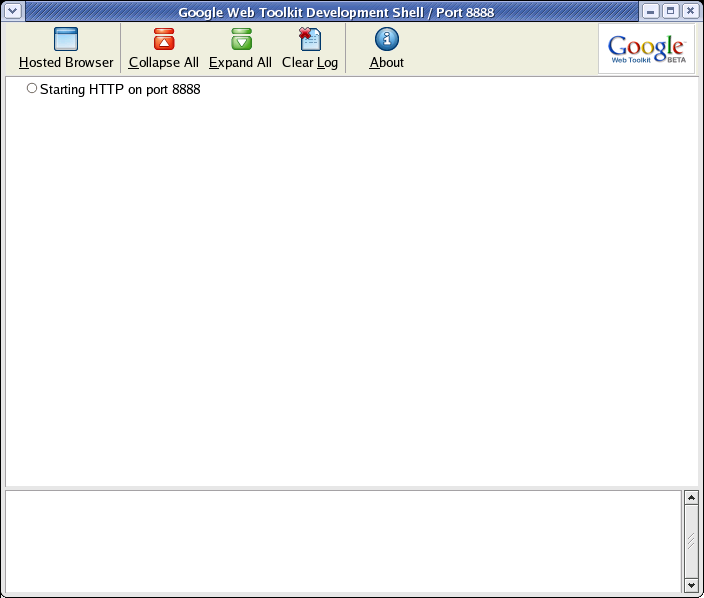
To run the application in the GWT shell, we need to start the ${projectName}-shell script that was generated when we ran the applicationCreator script. This gives us two windows, one to show the log messages, as shown below. The shell starts an embedded Tomcat server on port 8888.
Testing
Its great that GWT provides a script to create a JUnit test case, but in my opinion this is of limited use, since it does not support events. To fire events, you presumably have to call these methods in your test, and verify that the ListBoxes get populated as you intend. It may be more useful to test the server side thorougly, and verify manually that some of the cases are adequately handled on the front end. But that may just be true for this component, not for more complicated ones.
Deployment
The Javascript files are deployed into www/${componentClassName} directory. For those of you who did not particularly fancy my plain old HTML component, GWT offers you the ability to style the component from within Java by linking in a CSS Style sheet. Tweaking the Javascript is really not an option, and is counter-productive, since now you have to apply the same tweaks each time you change your Java code. And you have only to look at each cache file to realize how difficult it is going to be to tweak the Javascript. From what I have found, GWT supports Netscape, Firefox, MSIE, Opera and Safari, by generating different versions of the Javascript code and using browser signature sniffing to direct to the right Javascript.
Conclusion
The best part about GWT is that the developer does not have to know or write Javascript. Many expert Java developers trivialize Javascript, as if it were beneath them to have to write Javascript, but speaking for myself, I just don't know Javascript as well as I know Java. Also, Javascript is a more forgiving language, so it allows you to get away with incorrect syntax, but will manifest itself as runtime errors which are very hard to debug. Tool support for Javascript is also not as good as for Java. Personally, therefore, I found it easier to work with the GWT's Swing style code, even though I haven't done much desktop Java programming. One of the deal breakers with GWT is the quality of the generated Javascript, which comes back in one big block without indentation and such, so its very hard to tweak. However, since GWT works by generating Javascript, tweaking the Javascript will actually lead to a maintenance nightmare in any case, so the correct approach would be to fix the Java code to do what you want.
Overall, I found GWT to be quite flexible and easy to work with. The scripts to create an project make it very easy to get up and running with GWT. The GWT shell is also a real time saver since all you have to do to push your Java code changes out to Javascript is to click the Refresh button. Working with a server component does not work quite so well in the shell, especially if you have to use JDBC libraries and such. I got around this by mocking out my server component to not use JDBC, but looking back, I could have either put my server component outside on another application server (a good move in any case, since that way I could test it independently), or by adding the JDBC JAR files in the BookShelfViewer.lanch file.
GWT seems to be most suitable for AJAX applications that are standalone, in the sense that they do not interact with other components (AJAX or non-AJAX) on the web page. For example, GWT may not be the best choice if my Go button needed to send a form action request back to the server with a consequent page turn. However, if the component controls its own life cycle, such as something like Google maps, which are pretty much full page AJAX rich clients, then GWT would definitely be the way to go.